

Are you tired of traditional TV services? Many Americans are looking for something better. HOXTOON offers a great IPTV experience on your Mag Box.
With HOXTOON, you get lots of channels and on-demand content. It’s all set up for you to enjoy. Just follow the IPTV setup guide to start.
Key Takeaways
- HOXTOON is a leading IPTV provider in the USA.
- Easy IPTV setup on Mag Box for a seamless viewing experience.
- Access to a vast library of channels and on-demand content.
- High-quality streaming for an enhanced viewing experience.
- Simple and affordable IPTV solutions.
Understanding IPTV and Why It’s Revolutionizing Television
The TV world is changing fast with IPTV technology. People want more flexible and personal viewing. IPTV, or Internet Protocol Television, brings content over the internet. It lets users watch many channels and on-demand shows.
What Is IPTV and How Does It Work?
IPTV is a streaming service that uses the internet to send TV content. It’s different from old TV ways because it’s more personal. IPTV turns TV signals into internet packets and sends them over broadband.
This lets users watch live TV, movies, and more on devices like smart TVs, phones, and set-top boxes.
The Evolution of IPTV Technology
IPTV has grown a lot over time. At first, it had problems with bandwidth and quality. But, new broadband tech and better compression have fixed these issues.
Now, IPTV offers high-definition shows, interactive features, and easy-to-use interfaces. It’s a strong choice against traditional TV.
| Feature | Traditional TV | IPTV |
|---|---|---|
| Content Delivery | Broadcast signals | Internet protocol |
| Viewing Experience | Linear programming | Personalized, on-demand |
| Device Compatibility | Limited to TV sets | Multiple devices supported |

What Is a Mag Box and Why Is It Popular for IPTV?
Ever wondered about the term ‘Mag Box’ for IPTV? A Mag Box is a device that lets you stream IPTV content to your TV. It gives you a traditional TV feel. It’s a set-top box that decodes IPTV streams, offering many channels and on-demand content.

Different Mag Box Models Explained
There are many Mag Box models out there, each with unique features. Popular ones include the Mag254, Mag322, and Mag430. These devices differ in processing power, memory, and features like 4K resolution and Wi-Fi.
These models meet various user needs, from basic IPTV to gaming and multimedia. When picking a Mag Box, think about what you need and the content you want to watch.
Advantages of Using Mag Boxes for IPTV Streaming
Mag Boxes have many benefits for IPTV streaming. Firstly, they have an easy-to-use interface for finding channels and content. Secondly, they support high-definition streaming, offering top-notch picture quality. Plus, they work with many IPTV services, letting you pick your favorite.
- High-quality video streaming
- User-friendly interface
- Compatibility with various IPTV services
- Support for multiple devices
Using a Mag Box can make your IPTV experience better. You get to watch more content and enjoy a smoother viewing experience.
HOXTOON: The Leading IPTV Provider in the USA
HOXTOON is a top IPTV provider in the USA, offering a great viewing experience. It has a strong infrastructure and lots of content. This makes it a favorite for many.
Company Overview and Reputation
HOXTOON is known for its reliable service and high-quality streaming. It focuses on making customers happy and keeps improving its services. This has earned it a loyal customer base in the United States.
Impressive Content Library: 21,000+ Channels and 150,000+ VODs
HOXTOON’s extensive content library is a big draw. It has over 21,000 live channels and more than 150,000 VOD titles. This means subscribers get a wide range of entertainment, from sports and news to movies and TV shows.
You can watch your favorite shows on demand. This makes HOXTOON a great choice for those who want flexibility. For more info on using HOXTOON on your Smart TV, visit HOXTOON’s 4K Live IPTV on Smart.
Multi-Device Support: Connect More Than 6 Devices Simultaneously
HOXTOON supports multi-device connections. You can connect more than six devices at once. This is great for families with multiple viewers, as everyone can watch their favorite shows on different devices without any hassle.
Complete Mag Box IPTV Setup Guide
To set up your Mag Box IPTV, start by checking your hardware. You’ll need a Mag Box device, a good internet connection, and a HOXTOON subscription.
Hardware Requirements Before You Begin
Before you start, make sure you have these items:
- A Mag Box device (any compatible model)
- A stable internet connection (wired or WiFi)
- An HDMI cable for connecting to your TV
- A power adapter for your Mag Box
Having the right hardware is crucial for a smooth IPTV experience.
Step-by-Step Configuration Process
Configuring your Mag Box is easy. Just follow these steps:
- Connect your Mag Box to your TV using an HDMI cable.
- Power on the device and wait for it to boot up.
- Navigate to the settings menu and select your network connection method (wired or WiFi).
- Enter your network credentials to establish a connection.
- Once connected, update your Mag Box to the latest firmware if necessary.
Activating Your HOXTOON Subscription
To activate your HOXTOON subscription on your Mag Box:
- Navigate to the HOXTOON portal on your device.
- Enter your subscription credentials (username and password).
- Save your login information for future use.
- Restart your Mag Box to finalize the activation process.
Activating your HOXTOON subscription unlocks access to thousands of channels and VOD content.
Setting Up Different Mag Box Models
To get the most out of your IPTV service, it’s key to know how to set up different Mag Box models. Each model might have its own setup steps, but they’re all pretty similar.
Mag254 Setup Instructions
The Mag254 is a favorite among IPTV users. To set it up, first connect it to your TV and power. Then, follow these steps:
- Navigate to the settings menu and select “Network Settings.”
- Choose your network type (WiFi or Ethernet) and enter your credentials.
- Once connected, enter your IPTV portal information to start streaming.
For more detailed info on Mag254 and other devices, check out Infomir’s IPTV solution page.
Mag322 Configuration Guide
The Mag322 has advanced features and better performance. Its setup is similar to the Mag254, but with a few extra steps:
- Access the device’s menu and go to “System Settings.”
- Update the firmware to the latest version if necessary.
- Configure your network settings as with the Mag254.
- Enter your IPTV portal URL and credentials.
Experts say, “Regular firmware updates are key for your Mag Box’s security and performance.”
“Regular firmware updates are crucial for maintaining the security and performance of your Mag Box.” – IPTV Industry Expert
Setup Process for Newer Mag Box Models
Newer Mag Box models have better features and easier setup. They usually have:
| Feature | Description |
|---|---|
| Improved UI | A more intuitive interface for easier use |
| Enhanced Performance | Better streaming quality and less buffering |
| Simplified Setup | A more straightforward setup process |
No matter the model, the key to a good setup is right network settings and correct IPTV portal info.
Mag Box Portal Setup for HOXTOON
Setting up your Mag Box with HOXTOON’s portal is easy and makes your IPTV better. It’s key to get to HOXTOON’s big library of channels and VODs.
Understanding Portal URLs and How They Work
A portal URL is like an address for your Mag Box to reach HOXTOON’s servers. It’s important for your device to log in and use the IPTV service.
Entering and Saving Your HOXTOON Portal Information
To add your HOXTOON portal info, go to your Mag Box settings. Find the portal setup section and put in the URL. Save it to connect.
| Step | Description |
|---|---|
| 1 | Navigate to Mag Box settings |
| 2 | Locate portal configuration |
| 3 | Input HOXTOON portal URL |
Troubleshooting Portal Connection Issues
If you can’t connect to HOXTOON, check your internet. Make sure the URL is right. If problems keep happening, contact HOXTOON support.
Mag Box WiFi Setup and Network Configuration
Setting up your Mag Box with WiFi is easy and makes your IPTV better. A good internet connection is key for smooth streaming of your favorite shows and movies.
Connecting Your Mag Box to WiFi
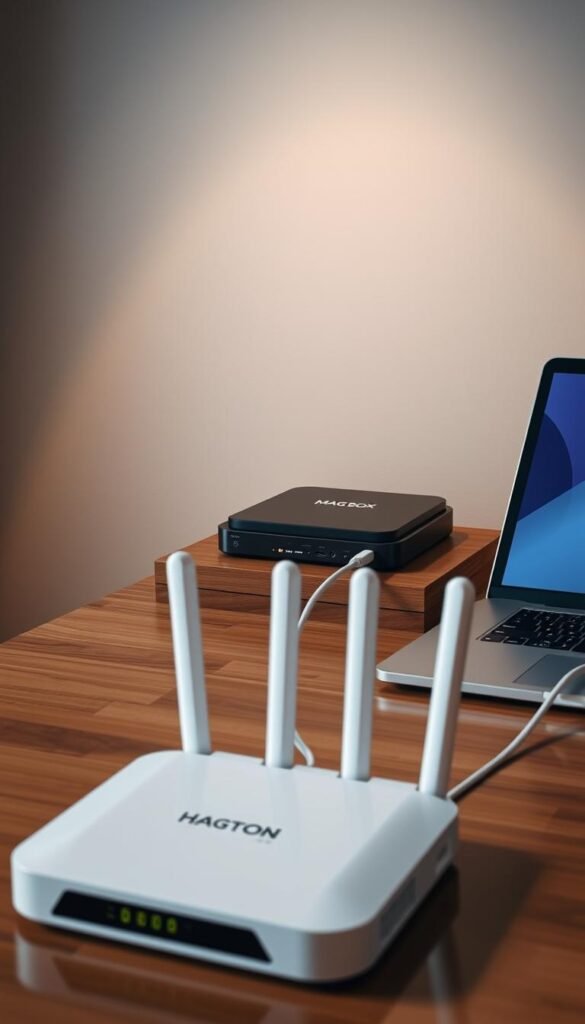
To connect your Mag Box to WiFi, go to the settings menu and pick the wireless network option. Make sure your Mag Box is close to your WiFi router for a strong signal. Choose your network, enter your WiFi password, and confirm. A good connection lets you enjoy IPTV services.
Optimizing Network Settings for Smooth Streaming
To stream IPTV well, you might need to tweak your network settings. Make sure your router gives your Mag Box the most bandwidth. You can also set your device as a priority in the router’s Quality of Service (QoS) settings to cut down on buffering. Using a wired Ethernet connection can also help, but WiFi works well if set up right.
By following these steps, you can have a great IPTV experience with your Mag Box. You’ll get to watch lots of channels and on-demand content without many problems.
Navigating the HOXTOON Interface on Your Mag Box
Let’s explore the HOXTOON interface on your Mag Box. It’s easy to use, making it simple to find your favorite shows and movies. You can quickly access live TV channels, movies, and TV shows.

Understanding the Main Menu and Features
The main menu is your entry to endless entertainment. It includes live TV, video on demand (VOD), and settings. The menu is clean and easy to navigate with your remote.
Key Features of the Main Menu:
- Live TV: Access to thousands of live channels
- VOD Library: A vast collection of movies and TV shows
- Settings: Customize your viewing experience
- Search Function: Quickly find specific content
Accessing Live TV Channels and Categories
To watch live TV, go to the “Live TV” section. You’ll see channels sorted by type, like sports, news, and entertainment. You can browse or use the guide to see what’s on now.
| Category | Description | Example Channels |
|---|---|---|
| Sports | Live sports coverage | ESPN, Fox Sports, NBC Sports |
| News | 24/7 News channels | CNN, Fox News, MSNBC |
| Entertainment | Movies, TV shows, and more | HBO, Showtime, AMC |
Browsing and Watching VOD Content
The VOD section has a huge library of movies and TV shows. You can search by genre, new releases, or popular titles. You can stream your chosen title or save it for later.
By following these steps, you’ll enjoy the HOXTOON interface on your Mag Box. You’ll have easy access to a wide range of entertainment options.
HOXTOON Subscription Plans and Pricing
HOXTOON offers flexible and affordable IPTV plans in the USA. You can pick the plan that fits your viewing habits and budget.
Monthly Plan: $9.99 for Complete Access
The monthly plan gives you full access to HOXTOON’s IPTV service for $9.99. It’s perfect for those who want to try it out or have changing viewing habits.
Quarterly Plan: $24.99 for 3 Months of Service
The quarterly plan costs $24.99 for three months. That’s $8.33 per month, a bit cheaper for those who plan ahead.
Semi-Annual Plan: $31.99 for 6 Months
The semi-annual plan is $31.99 for six months. That’s $5.33 per month. It’s great for those sure about their IPTV needs for the next six months.
Annual Plan: $43.99 for 12 Months of Premium Service
The annual plan is the best deal, costing $43.99 for 12 months. That’s about $3.67 per month, making it the cheapest for long-term users.
Extended Plans: 2-Year ($69.99) and 3-Year ($89.99) Options
For long-term use, HOXTOON offers 2-year and 3-year plans. They cost $69.99 and $89.99, respectively. These plans save you a lot of money over time.
Which Plan Offers the Best Value?
When picking a HOXTOON plan, think about your viewing habits and how long you’ll use it. The annual plan is usually the best value. But longer plans can save you even more. The right plan for you depends on your needs and budget.
Mag Box Firmware Updates: Keeping Your Device Optimized
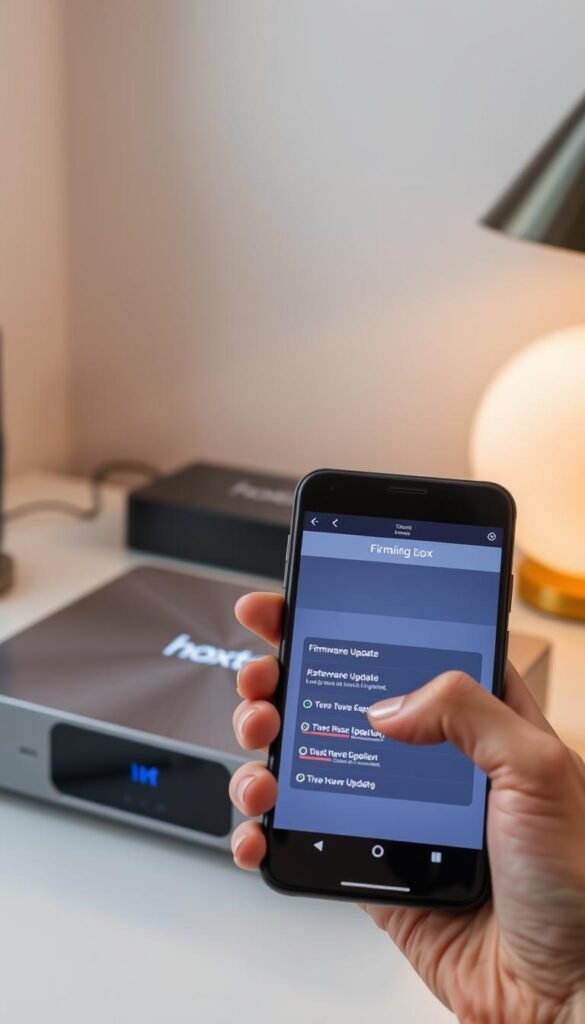
Regular firmware updates are key to keeping your Mag Box running smoothly. These updates boost performance, stability, and security. This ensures a great IPTV experience with HOXTOON.
Why Regular Updates Are Important
Keeping your Mag Box updated is vital. Updates include bug fixes, security patches, and performance enhancements. They help your device stay stable and secure.
How to Check Your Current Firmware Version
To see your current firmware version, go to the settings menu on your Mag Box. Look for “System Information” or “Device Info.” There, you’ll find your firmware version. Note it down to compare with the latest version on the manufacturer’s website or HOXTOON portal.
Step-by-Step Firmware Update Process
Updating your Mag Box firmware is easy. First, make sure your device is online. Then, follow these steps:
- Navigate to the settings menu and select “System Update” or “Firmware Update.”
- Choose the “Check for Updates” option to see if a newer version is available.
- If an update is found, select “Download and Install” to begin the update process.
- Wait for the update to download and install. Your Mag Box will restart automatically.
For more detailed instructions, you can visit this guide on updating your Mag 254 set-top box firmware.
Troubleshooting Common Mag Box IPTV Issues
Common Mag Box IPTV issues can be fixed with the right steps. This ensures your service runs smoothly. It’s key to find the problem and fix it right away.
Fixing Buffering and Playback Problems
Buffering and playback issues often stem from your internet connection. Make sure your network speed is at least 25 Mbps for HD content. Try restarting your Mag Box or updating its firmware.
Tips to reduce buffering:
- Use a wired Ethernet connection instead of WiFi
- Limit other devices using your network bandwidth
- Check for physical obstructions or interference if using WiFi
Resolving Authentication and Login Errors
Authentication errors often point to subscription or login issues. First, double-check your username and password. If problems continue, contact your IPTV provider to check your subscription status.
| Error Type | Possible Cause | Solution |
|---|---|---|
| Authentication Error | Incorrect Credentials | Reset Password or Check Username |
| Login Failed | Expired Subscription | Renew Subscription |
What to Do When Channels Won’t Load
If channels won’t load, start by restarting your Mag Box. If the problem persists, check the server status with your IPTV provider. They might be experiencing an outage. You can also reset your Mag Box to its default settings.
Enhancing Your IPTV Experience with HOXTOON
Make your TV time better with HOXTOON’s cool features. You can make your viewing just how you like it. There are lots of tools to help you.
Using the Electronic Program Guide (EPG)
The Electronic Program Guide (EPG) helps you plan your TV time. You can:
- See what’s coming up for the next 7 days
- Set reminders for your favorite shows
- Read detailed descriptions of programs
To use the EPG, just go to the guide on your Mag Box. You’ll find lots of useful info.
Setting Up Favorites and Creating Custom Channel Lists
HOXTOON lets you make your own channel lists. This makes it easy to find your favorite channels. Here’s how to set up your favorites:
- Go to the channel list menu
- Pick the channels you want to add to your favorites
- Save your list so you can find it easily later
This is great for families or anyone with different TV tastes.
Recording Features and Time-Shifting Options
With HOXTOON, you can record shows or pause live TV. The recording feature lets you:
- Record live TV to watch later
- Pause and rewind live TV
- Schedule recordings in advance
These options let you control your TV time. You’ll never miss your favorite shows.
HOXTOON vs. Other IPTV Providers: A Comprehensive Comparison
HOXTOON is a top name in IPTV services. But how does it stack up against others? Knowing the differences between HOXTOON and its rivals is key when choosing IPTV.
Content Library Size and Quality Comparison
The size and quality of a provider’s content library are crucial. HOXTOON has over 21,000 live channels and 150,000 VOD titles. This is more than many competitors offer. For example, some have around 15,000 live channels and 100,000 VOD titles.
HOXTOON also offers HD and SD streams. This means you can watch in high or standard definition, depending on your internet speed.
Key Highlights of HOXTOON’s Content Library:
- Over 21,000 live channels
- 150,000+ VOD titles
- HD and SD streams available
- Regular updates with new content
Pricing and Value Analysis
Pricing is a big factor when comparing IPTV providers. HOXTOON has various plans, from $9.99 to $43.99 per year. Other providers might charge more or offer less content for less money. It’s important to think about the value you get for your money.
Comparison of Pricing Plans:
| Provider | Monthly Plan | Annual Plan |
|---|---|---|
| HOXTOON | $9.99 | $43.99 |
| Provider X | $12.99 | $59.99 |
Reliability and Customer Support Evaluation
Reliability and customer support are key for a good IPTV experience. HOXTOON is known for its reliable service and quick customer support. Other providers may have different levels of support, with some offering 24/7 help and others having limited hours.
Evaluating Customer Support:
- Availability: 24/7 support
- Response Time: Typically under 2 hours
- Support Channels: Email, Live Chat, Phone
Legal Considerations for IPTV Services in the USA
Enjoying your Mag Box IPTV with HOXTOON means knowing the legal considerations surrounding IPTV services in the USA. IPTV services face a complex legal setup. Knowing this helps you make smart choices about what you watch.
Understanding the Legal Landscape of IPTV
The legal scene for IPTV in the United States is complex. IPTV providers must follow many rules, like copyright laws and content licensing. They need the right permissions and licenses to show copyrighted content. Not following these rules can lead to big problems, like fines and service stops.
To learn more about setting up your IPTV service, check out the 4K Live IPTV setup guide from HOXTOON.

How HOXTOON Ensures Compliance with Regulations
HOXTOON is serious about IPTV legal matters. They make sure to follow all the rules by getting the right licenses and sticking to copyright laws. This dedication to legal compliance means users get a safe and dependable IPTV service.
By picking HOXTOON, you can watch your favorite shows without worrying about legal trouble. This is because HOXTOON makes sure they follow all USA regulations.
In conclusion, knowing the legal side of IPTV in the USA is key for a smooth viewing experience. HOXTOON’s focus on following the law means users can enjoy their service without legal worries.
Security Best Practices for Your Mag Box IPTV Setup
Keeping your Mag Box IPTV setup safe is key to protecting your personal data. It also makes sure you can enjoy your shows without interruptions. A secure setup keeps your info safe and improves your viewing experience.
Protecting Your Personal Information
Be careful when sharing data with third-party apps or services linked to your Mag Box. Always check the privacy policies of these services. This helps you understand how they use your data.
- Use strong, unique passwords for your accounts.
- Enable two-factor authentication whenever possible.
- Regularly update your passwords to minimize the risk of unauthorized access.
Securing Your Network and Device
Securing your network and device is crucial to keep your Mag Box IPTV setup safe. Here are some steps you can take:
| Security Measure | Description | Benefit |
|---|---|---|
| Change Default Passwords | Alter the default passwords for your Mag Box and WiFi router. | Prevents unauthorized access. |
| Use WPA2 Encryption | Enable WPA2 encryption for your WiFi network. | Protects data transmission. |
| Regular Updates | Keep your Mag Box firmware and apps updated. | Ensures you have the latest security patches. |
By following these security best practices, you can greatly improve your Mag Box IPTV setup’s security. This protects your personal information and ensures a smooth viewing experience.
Conclusion: Elevating Your Entertainment with Mag Box and HOXTOON
You now have the tools to make your entertainment better with Mag Box IPTV setup and HOXTOON. These two technologies let you enjoy a huge library of content. You get 21,000+ channels and 150,000+ VODs right at home.
HOXTOON makes it easy to access lots of channels and content on your Mag Box. It’s perfect for those who want a complete entertainment solution. The HOXTOON IPTV service offers a smooth viewing experience. It has features like multi-device support and electronic program guides.
By following the setup and configuration guides in this article, you can get the most out of your Mag Box and HOXTOON subscription. Whether you want to stream your favorite TV shows or watch the latest movies, this combo will make your entertainment better.
As you keep exploring IPTV, remember to keep up with the latest firmware updates and security tips. This will help you have a smooth and safe viewing experience.