Are you tired of limited channel options and poor streaming quality on your Roku TV? You’re not alone. Many users seek a more comprehensive and high-quality viewing experience. That’s where HOXTOON, the premier IPTV service provider in the USA, comes in.
With HOXTOON, you can enjoy a wide range of channels and VODs, all in one place. Their user-friendly interface makes it easy to navigate and discover new content. By setting up HOXTOON on your Roku device, you’ll unlock a world of entertainment options. This includes premium sports channels, entertainment, and movie channels in ultra HD.
Key Takeaways
- Easy setup process for HOXTOON on Roku TV
- Access to a vast library of channels and VODs
- High-quality streaming with adaptive bitrate technology
- User-friendly interface for seamless navigation
- Premium content options, including sports and movies in ultra HD
Understanding IPTV and Its Benefits for Roku TV Users
IPTV is changing how we watch TV on Roku devices. It offers a flexible and rich content alternative to traditional TV. If you’re thinking about switching to IPTV on your Roku TV, it’s key to know what IPTV is and how it can improve your viewing.
What Is IPTV and How Does It Work?
IPTV, or Internet Protocol Television, sends TV content over the internet, not through traditional means. This tech lets you watch what you want, when you want, on your Roku TV. You get access to a huge library of content, including live TV and on-demand movies and shows, all through the internet.
IPTV works by breaking down video into internet packets and streaming it to your device. This method ensures fast, high-quality video delivery. For Roku TV users, services like HOXTOON provide a wide range of channels and on-demand content, making IPTV a great choice over traditional TV.
Advantages of IPTV Over Traditional Cable
IPTV offers flexibility and customization that traditional cable can’t match. With IPTV on Roku TV, you can watch your favorite shows and movies whenever you want. You can also pause live TV and record content for later. Plus, IPTV services have easy-to-use interfaces that help you find what you’re looking for in their vast content libraries.
HOXTOON, for example, has over 21,000 live channels and 150,000+ VODs (Video on Demand). This huge selection means you have endless entertainment options, from new movies and TV shows to sports and news. Switching to IPTV on your Roku TV gives you a more personalized viewing experience that traditional cable can’t offer.
Why Roku TV Is an Ideal Platform for IPTV Services
Roku TV is a top choice for IPTV services. It offers a smooth streaming experience. Its tech and easy-to-use design attract many users.
Roku TV’s Technical Capabilities
Roku TV supports high-quality IPTV streaming. It can handle HD content, so you get the best picture and sound. It works with many IPTV services, like HOXTOON.
It also supports 4K content for an even better viewing experience. Its strong processing power means no buffering or lag.
User-Friendly Interface for Streaming Content
Roku TV’s interface is easy to use. It lets you quickly find and play your favorite shows. The remote control is simple to use.
It also supports many IPTV apps, like the Roku TV IPTV app and Roku TV IPTV player. These apps add features like EPG and catch-up TV.
| Feature | Description | Benefit |
|---|---|---|
| 4K Support | Roku TV supports 4K streaming for IPTV services. | Enhanced viewing experience with high-definition content. |
| User-Friendly Interface | Intuitive design for easy navigation. | Simplifies the process of finding and playing IPTV content. |
| Multi-Channel Support | Compatible with various IPTV channels and apps. | Offers users a wide range of content options. |
In conclusion, Roku TV is perfect for IPTV services. It combines great tech with an easy-to-use interface. Whether you use the Roku TV IPTV app or another app, Roku TV offers a top streaming experience.
Introducing HOXTOON: America’s Premier IPTV Provider
HOXTOON is a top IPTV service in the United States. It offers great streaming experiences. The company focuses on quality content and excellent customer service.
Company Overview and Reputation
HOXTOON is known for its reliable and stable service. It has a huge content library. This has made it popular across the United States.
It caters to different tastes with its wide range of channels and on-demand content.
What Sets HOXTOON Apart from Competitors
HOXTOON stands out because it supports over 6 devices. This means you can watch your favorite shows on many platforms. Whether it’s a Roku TV, smartphone, or tablet, HOXTOON makes it easy.
To configure IPTV on your Roku TV, HOXTOON has an easy-to-use interface. For more details, check out HOXTOON’s IPTV 4K Live M3U Link.
HOXTOON also focuses on high-quality streams and minimal buffering. This makes it a reliable choice for IPTV.
HOXTOON’s Impressive Content Library
Explore HOXTOON’s vast content library, perfect for enhancing your Roku TV IPTV experience. With thousands of options at your disposal, you’ll always find something to watch.
Over 21,000 Live Channels: Categories and Highlights
HOXTOON offers over 21,000 live channels for all interests. You can find:
- Sports channels for live events and analysis
- News channels from around the world
- Entertainment channels with the latest shows and movies
- Documentary channels for educational content
- Kids’ channels with a variety of cartoons and educational programs
Sports fans will love HOXTOON’s channels for live sports. You can learn more on their IPTV with 4K Live TV page.
Exploring the 150,000+ VOD Collection
HOXTOON also has a huge VOD collection with over 150,000 titles. This library includes:
- Recent blockbuster movies
- Classic films from various genres
- Popular TV series
- Documentaries and educational content
- Kids’ movies and TV shows
The VOD collection is updated regularly. It offers the latest movies, TV shows, and educational content. Whether you want a movie night or educational content for kids, HOXTOON has it all.
Enjoying IPTV on Roku TV with HOXTOON is a top-notch experience. Its vast and varied content makes it stand out.
Multi-Device Compatibility: Using HOXTOON on Up to 6 Devices
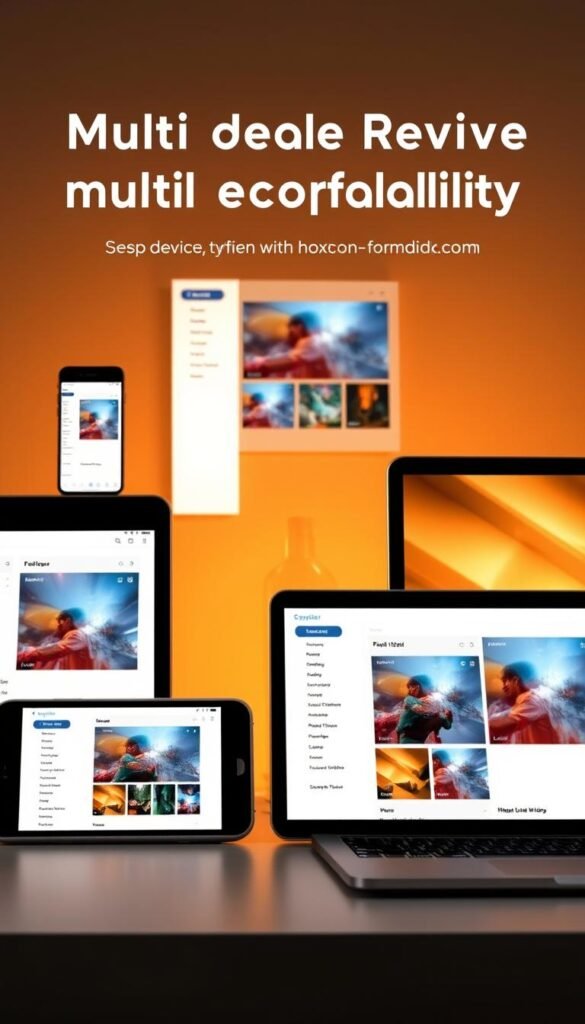
HOXTOON lets you watch IPTV on up to 6 devices at once. This is great for families with many viewers. Each person can pick their favorite device to watch on.
Supported Devices Beyond Roku TV
HOXTOON works with more than just Roku TV. You can use it on:
- Smartphones and tablets running Android or iOS
- Amazon Fire TV devices
- Android TV boxes and sticks
- Computers via web browsers
This wide range of devices means you can watch your favorite shows on any device. It makes watching TV smooth and easy on different platforms.
Simultaneous Streaming Capabilities
HOXTOON lets you stream on up to 6 devices at once. This means family members can watch different things on different devices. For example:
- Watch a live sports event on your Roku TV
- Stream a movie on your tablet
- Have your child watch their favorite cartoon on a smartphone
This feature means you don’t have to pause or switch between shows. It makes watching TV better. For more setup tips, visit HOXTOON’s official website.
HOXTOON’s multi-device support and streaming on many devices meet the needs of today’s viewers. It offers a flexible and fun way to enjoy entertainment.
Roku TV IPTV Configuration: Step-by-Step Setup Guide
To enjoy IPTV on your Roku TV, follow this step-by-step guide to configure HOXTOON. Configuring IPTV on your Roku TV enhances your streaming experience. It gives you access to a vast library of content.
Preparing Your Roku TV for IPTV Installation
Before you start, make sure your Roku TV is ready for IPTV. First, check that it’s connected to the internet. Then, update your Roku TV to the latest software version. This ensures it works well with the latest IPTV apps.
Steps to check for updates:
- Go to Settings on your Roku TV.
- Select System.
- Choose System update.
- Select Check now.
Installing the Necessary Applications
To use HOXTOON on your Roku TV, you need to install the HOXTOON app. You can find it in the Roku Channel Store.
Installation Steps:
- Navigate to the Roku Channel Store.
- Search for the HOXTOON app.
- Select the HOXTOON app from the search results.
- Click Add channel to install the app.
Configuring HOXTOON on Your Roku TV
After installing the HOXTOON app, it’s time to set it up. Launch the app and log in with your subscription details.
Configuration Steps:
| Step | Description |
|---|---|
| 1 | Launch the HOXTOON app on your Roku TV. |
| 2 | Log in with your HOXTOON subscription credentials. |
| 3 | Navigate through the app to familiarize yourself with its features. |
By following these steps, you can easily configure HOXTOON IPTV on your Roku TV. Enjoy a seamless streaming experience.
HOXTOON Subscription Plans and Pricing
HOXTOON has many subscription plans for Roku TV users. Whether you want something short-term or long-term, HOXTOON has you covered. Their flexible options make your IPTV experience better.
Monthly and Quarterly Options
HOXTOON offers monthly and quarterly plans for flexibility. The monthly plan is great for trying out the service or for those with changing schedules. The quarterly plan gives a discount for longer use.
Semi-Annual and Annual Plans
For a more dedicated experience, HOXTOON has semi-annual and annual plans. These are perfect for those who watch a lot of IPTV. You get premium content without extra costs.
Long-Term Subscriptions: 2-Year and 3-Year Value Plans
For the most committed viewers, HOXTOON has 2-year and 3-year plans. These plans offer big discounts and are great for those sure about their IPTV choices. You save a lot by choosing these plans.
Here’s a summary of HOXTOON’s subscription plans and pricing:
| Plan | Duration | Price | Discount |
|---|---|---|---|
| Monthly | 1 Month | $15 | – |
| Quarterly | 3 Months | $40 | 10% off |
| Semi-Annual | 6 Months | $75 | 15% off |
| Annual | 12 Months | $140 | 20% off |
| 2-Year Plan | 24 Months | $250 | 30% off |
| 3-Year Plan | 36 Months | $350 | 35% off |
To set up HOXTOON on your Roku TV, check out our guide in Section 7. It covers Roku TV IPTV settings and installation.
Optimizing Your HOXTOON IPTV Experience on Roku TV
To enjoy your HOXTOON IPTV on Roku TV, make sure your network is ready. You need a fast internet connection for smooth streaming. Also, adjust your picture and sound settings for the best quality.
Network Requirements for Smooth Streaming
A fast and stable internet connection is key for uninterrupted streaming. For HOXTOON on Roku TV, you need at least 25 Mbps for SD content. For HD, you should have 50 Mbps or more. For 4K, aim for 100 Mbps.
To meet these needs, consider these tips:
- Use a wired Ethernet connection for your Roku TV if possible, as it provides a more stable connection than Wi-Fi.
- If using Wi-Fi, ensure your router is configured for optimal performance and is placed in a central location to minimize interference.
- Limit the number of devices connected to your network to prevent bandwidth congestion.
Picture and Sound Settings for Best Quality
Adjusting your Roku TV’s picture and sound settings can make a big difference. Here are some tips:
- For picture settings, go to your Roku TV’s settings menu and select “Picture” or “Display”. Choose the “HDR” or “4K” mode if your TV supports it. Adjust the brightness, contrast, and color settings to your liking.
- For sound settings, make sure your TV is set to the correct audio output. If you have a soundbar or home theater system connected, choose the right HDMI input or optical audio output.
- Consider enabling features like “Dolby Vision” or “HDR10” if your TV and content support it, for a better viewing experience.
By following these guidelines, you can optimize your HOXTOON IPTV experience on Roku TV. Enjoy smooth streaming and high-quality video and audio.
Troubleshooting Common IPTV Issues on Roku TV
To enjoy your IPTV on Roku TV without problems, it’s important to know how to fix common issues. Services like HOXTOON offer lots of channels and content. But sometimes, users might run into technical problems.
Buffering and Connection Problems
Buffering and connection issues are common for IPTV users on Roku TV. These problems can stem from internet issues, server overload, or Roku TV problems.
- Make sure your internet connection is stable and fast enough for IPTV streaming.
- Restart your Roku TV and try reloading the IPTV channel or app.
- If problems continue, update your Roku TV to the latest software version.
For more detailed setup instructions, check out HOXTOON’s IPTV 4K Live Installation Guide.
Channel Loading Errors
Channel loading errors can be frustrating. But they’re often easy to fix. If channels won’t load, try these steps:
- Make sure your IPTV subscription is active and your login details are correct.
- Check the IPTV service’s status page for any outages or maintenance.
- Try removing and reinstalling the IPTV app on your Roku TV.
Audio and Video Sync Issues
Audio and video sync issues can ruin your viewing experience. To fix these, try these steps:
- Check your Roku TV’s audio and video settings to make sure they’re right.
- Adjust the audio delay to match the video.
- If problems continue, restart the IPTV app or your Roku TV.
By following these steps, you should be able to solve common IPTV problems on your Roku TV. For ongoing issues, reach out to the IPTV service provider’s support, like HOXTOON’s customer support.
| Issue | Troubleshooting Steps |
|---|---|
| Buffering and Connection Problems | Check internet connection, restart Roku TV, update software |
| Channel Loading Errors | Check subscription status, service status page, reinstall app |
| Audio and Video Sync Issues | Adjust audio and video settings, adjust audio delay |
“Troubleshooting is an essential skill for any IPTV user. By understanding how to address common issues, you can ensure a smoother viewing experience.”
HOXTOON Customer Support and Service Reliability
HOXTOON knows how crucial good customer support is for its IPTV service on Roku TV. They have a detailed support system ready for you. This means you can enjoy your IPTV on Roku TV without any stress.
24/7 Support Options
HOXTOON provides 24/7 customer support for any issues with your IPTV on Roku TV. Need help with IPTV configuration or facing technical problems? Their team is always ready to help.
You can contact them through email, live chat, or phone. They make it easy for you to get in touch.
Service Uptime and Maintenance Policies
HOXTOON is proud of its high service uptime. This means you can watch your favorite IPTV channels on Roku TV without interruptions. Their strong infrastructure and regular maintenance keep the service running smoothly.
They do maintenance during quiet hours to avoid any problems. If there’s a service issue, their team works fast to fix it.
Legal Considerations for IPTV Services in the United States
IPTV is getting more popular, and knowing its legal side is key. It’s important to understand the laws around IPTV to enjoy your shows without worry.
Understanding IPTV Regulations
IPTV laws in the U.S. are complex. They cover copyright and content licensing. A review of legal IPTV providers shows that following these rules is essential.
HOXTOON’s Compliance with Legal Requirements
HOXTOON makes sure it follows all legal rules. This means getting the right licenses and sticking to copyright laws. Choosing HOXTOON means you’re picking a service that plays by the U.S. rules.
| Legal Aspect | Description | Importance for IPTV Services |
|---|---|---|
| Copyright Laws | Laws protecting original content creators | High – Ensures licensed content distribution |
| Content Licensing | Agreements allowing IPTV services to broadcast content | High – Enables legal content streaming |
| Data Protection | Laws safeguarding user data | Medium – Important for user trust and compliance |

Knowing the legal side of IPTV and picking a service like HOXTOON is smart. It lets you watch lots of content while supporting legal streaming.
Comparing HOXTOON with Other IPTV Services for Roku TV
HOXTOON is a top choice for IPTV on Roku TV. It’s important to know how it stacks up against other services. This helps you decide the best streaming option for your Roku TV.
Content Library Comparison
HOXTOON has a huge collection of over 21,000 live channels and more than 150,000 VOD titles. This is more than what many other IPTV services offer.
Other services might focus on sports or international channels. But HOXTOON has a wide range of content for everyone.
Pricing and Value Analysis
HOXTOON has flexible pricing plans. You can choose from monthly to annual options. This lets you pick what fits your budget and viewing habits.
HOXTOON’s prices are competitive. While some services might be cheaper, they often have less content. Others might cost more but offer more channels.
Performance and Reliability Differences
HOXTOON is known for its fast and reliable streaming. It has a strong infrastructure that ensures smooth playback.
Other services might have issues with buffering or stream quality. HOXTOON’s focus on uptime and quality makes it a better choice.
In summary, HOXTOON is a strong contender for Roku TV IPTV. It offers a wide range of content, competitive pricing, and reliable streaming. This makes it a great option for anyone looking for a top-notch IPTV experience.
Conclusion: Why HOXTOON Is the Smart Choice for Roku TV IPTV
HOXTOON is a top pick for IPTV on Roku TV. It has a huge library of content, works on many devices, and is easy to use. Setting it up on your Roku TV is simple, making streaming a breeze with a roku tv iptv configuration that’s easy to follow.
Choosing HOXTOON means you get over 21,000 live channels and a huge VOD library. It’s flexible, letting you watch on up to six devices at once. If you want to ditch traditional TV or just have more options, HOXTOON is a great choice. Find out how to set up iptv on roku tv and start watching your favorite shows and movies right away.
HOXTOON is a dependable and high-quality IPTV service for your Roku TV. It offers great customer support, good prices, and lots of content. This makes HOXTOON the best choice for anyone wanting to improve their streaming experience.